

Now, it's easier to replace the MacBook Pro battery (and not only)
The new MacBook Pro (14 and 16 inches) brings a series of new features and internal improvements. There are new technologies to explore, a more refined design, and a computer that increasingly considers the user.
As with any other gadget, even with Apple computers, it might be necessary to replace a component — due to malfunction or other needs. And now, this is easier than ever.
So, don't worry. You don't need to be an expert to know how to easily replace your MacBook Pro battery. And we'll explain why.
MacBook Pro: increasingly user-friendly
The new 14 and 16-inch MacBook Pros arrived to revolutionize the laptop market. They are getting better, faster, and more efficient.
But that's not all, as there are other aspects to consider in the construction and production of devices like this. It's important to make life easier for users who, for whatever reason, need to replace a certain component.
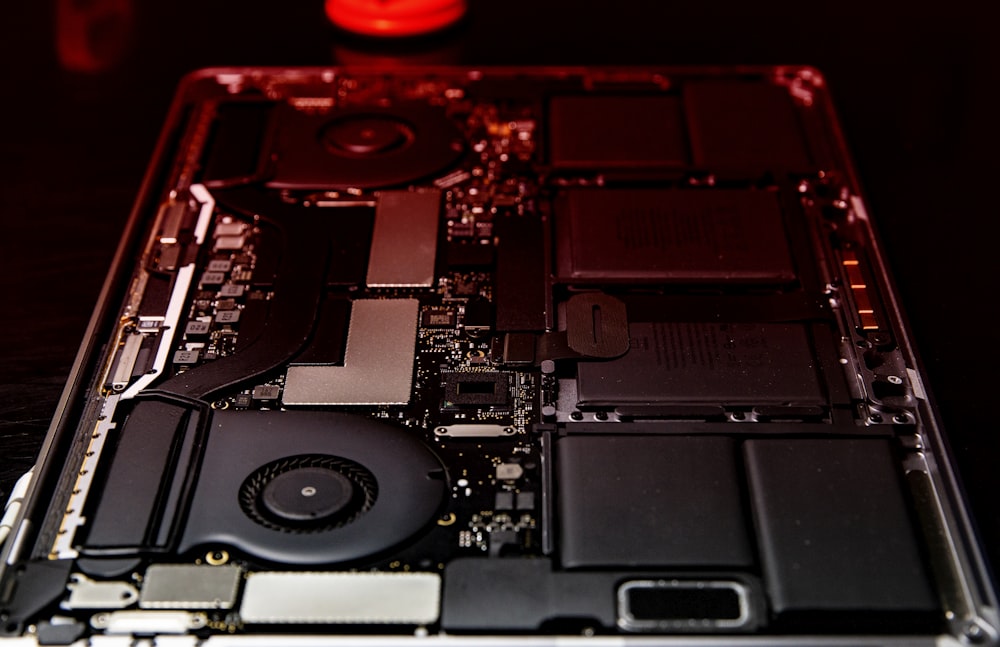
It's safe to say, therefore, that a "user-friendly" computer is one that doesn't forget any aspect dependent on its use — and internal access is one of them.
To show how easy it is now to replace your MacBook Pro battery, iFixit made a video demonstrating the process. Of course, you'll still need the traditional screwdriver, but little else.
It's easier to replace the MacBook Pro battery
Much easier. In fact, there's no comparison. And it's true that, besides being very useful for users, it's also useful for repair technicians. Now, replacing the MacBook Pro battery will be much faster — especially compared to previous versions.
There are more access ports and, as soon as the trackpad is removed, access to the battery cells is complete. The method is very similar to that of the iPhone, especially the compartment that holds the SIM cards.
This is another step taken by Apple in the right direction. The brand continues to invest in computers that, in addition to being very powerful, are easier to access — even for those with no prior knowledge.